Linkedin Meeting Scheduler
How might LinkedIn make it easier to turn professional conversations into scheduled meetings without requiring users to leave the platform?

Independent Product Concept, August 2026
Product Strategy • UX Design • Figma
The Problem
From “I’d love to chat” to actually meeting
LinkedIn makes it easy to initiate professional conversations, but scheduling often moves outside the platform. Once two people agree to meet, they may exchange availability manually or rely on third-party scheduling tools, adding unnecessary steps to a conversation that already started on LinkedIn.
I saw an opportunity to reduce this friction by bringing scheduling directly into LinkedIn Messaging.
LinkedIn DM → Agree to meet → Open external scheduler → Create/copy link → Return to LinkedIn → Send link → Recipient opens external tool → Book
Current Experience
Product Opportunity
What if scheduling happened where the conversation already does?
I explored a native meeting-request feature that would allow users to schedule professional conversations directly from LinkedIn Messaging while continuing to use the calendars and meeting platforms they already rely on.
Product Goals
Reduce friction
Minimize the steps between agreeing to meet and confirming a time.
Stay within the conversation
Allow users to initiate and coordinate scheduling without leaving LinkedIn.
Work with existing tools
Integrate with calendars and platforms such as Google Meet, Zoom, and Microsoft Teams rather than introducing another meeting ecosystem.
The Solution
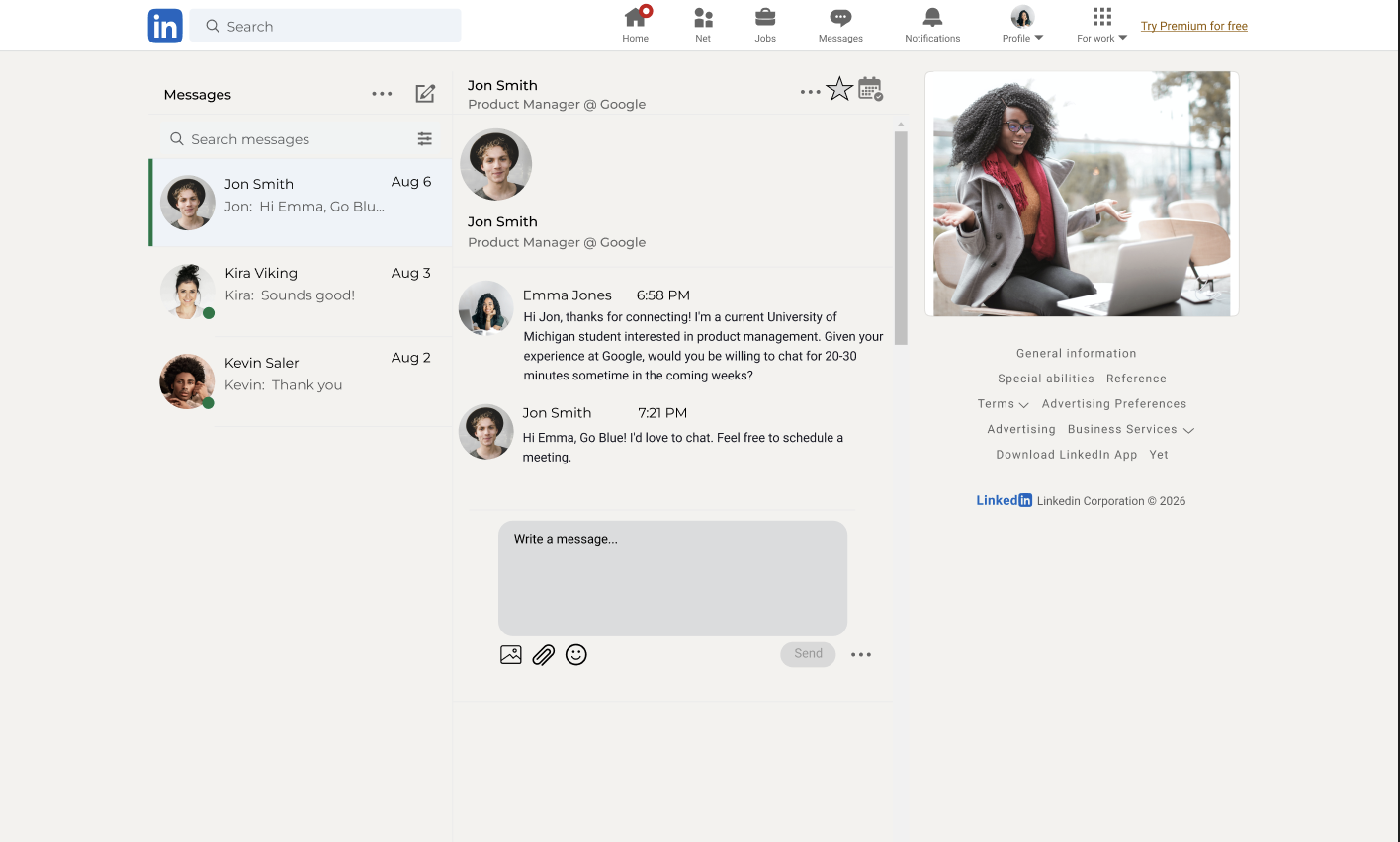
Meeting Requests adds scheduling directly to LinkedIn conversations. From a message thread, users can configure a meeting, find mutual availability, select their preferred meeting platform, and send a request without relying on a separate scheduling service.
Introducing Meeting Requests
New: Schedule a meeting directly from the conversation
The User Flow
From conversation to calender
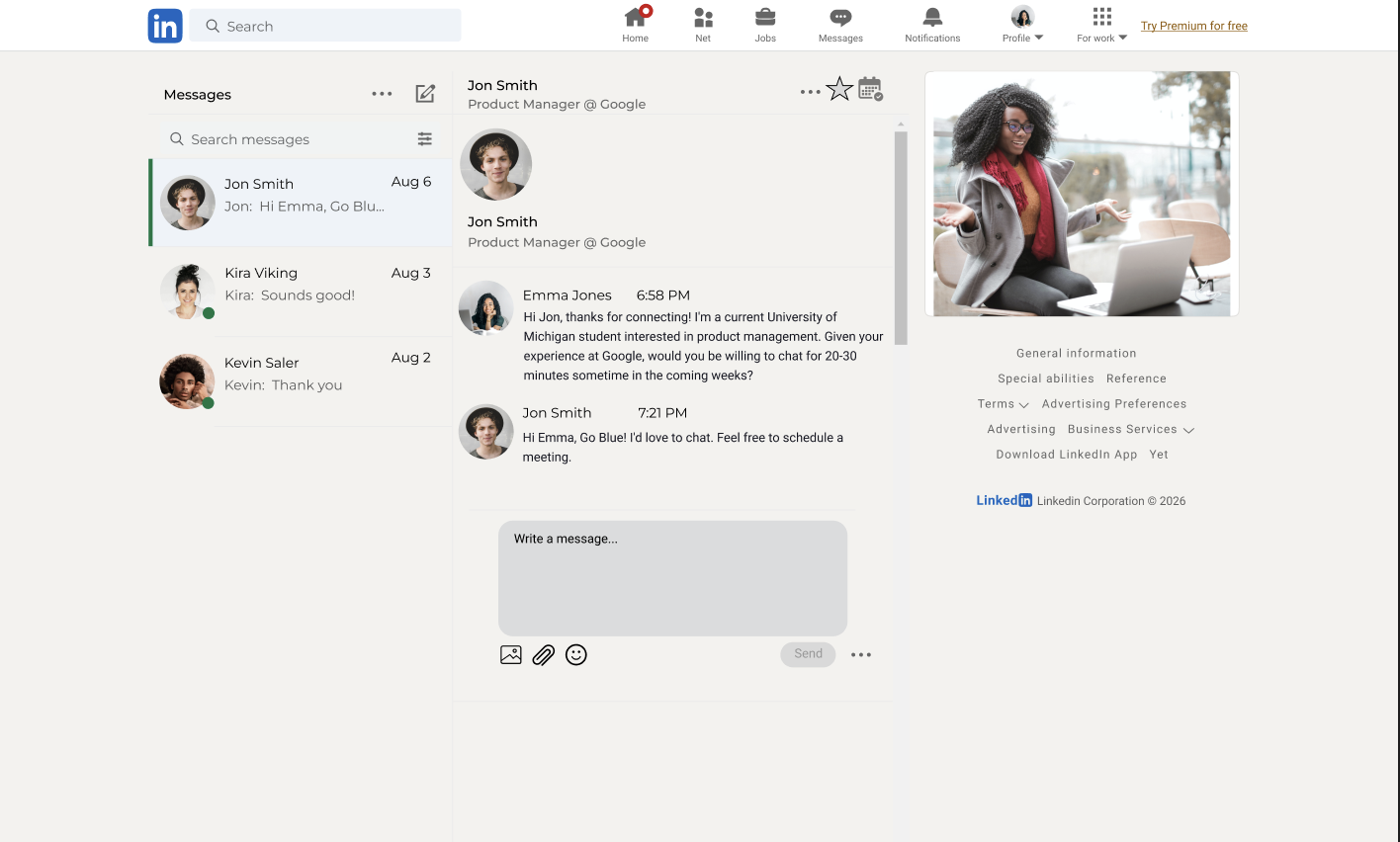
01| Start from the conversation
Scheduling lives within the existing message thread, keeping the feature accessible without interrupting the conversation.
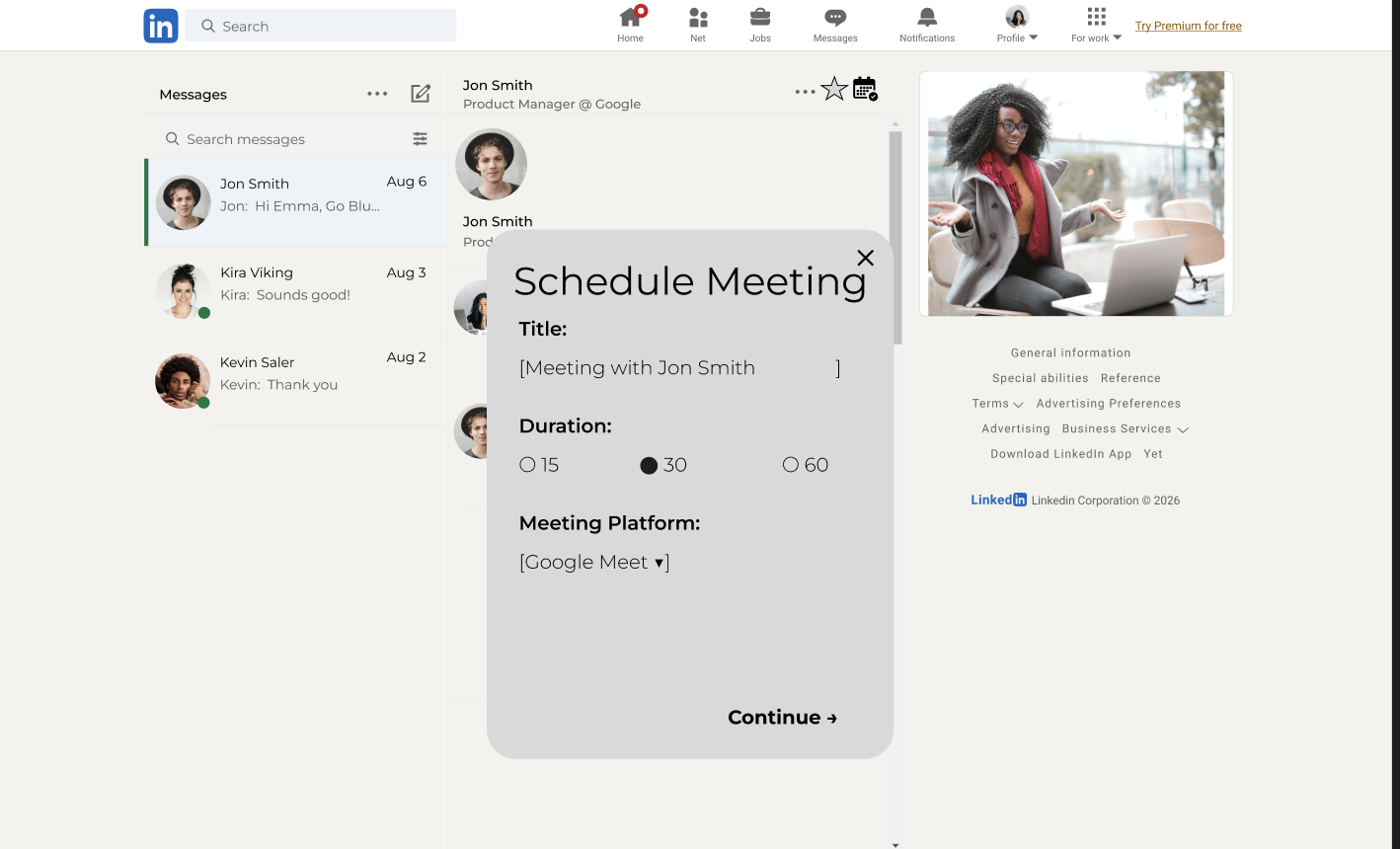
02| Configure the meeting
Users choose a meeting title, duration, and preferred meeting platform. Rather than creating a new LinkedIn video service, the experience works with tools users already rely on.
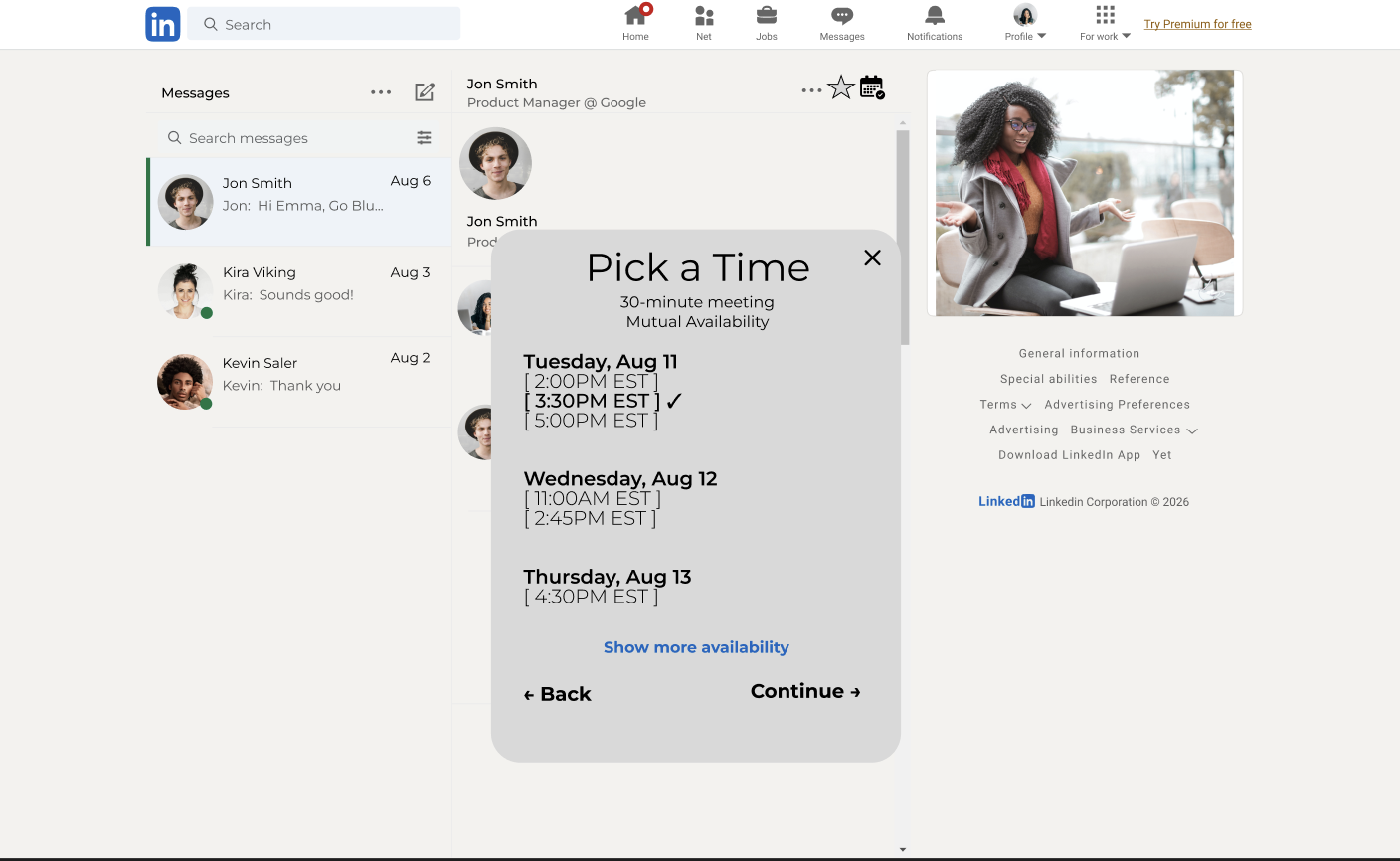
03| Find a time
With connected calendars, LinkedIn surfaces mutual availability based on the selected meeting duration. Users see available time slots without seeing the other person's calendar or event details.
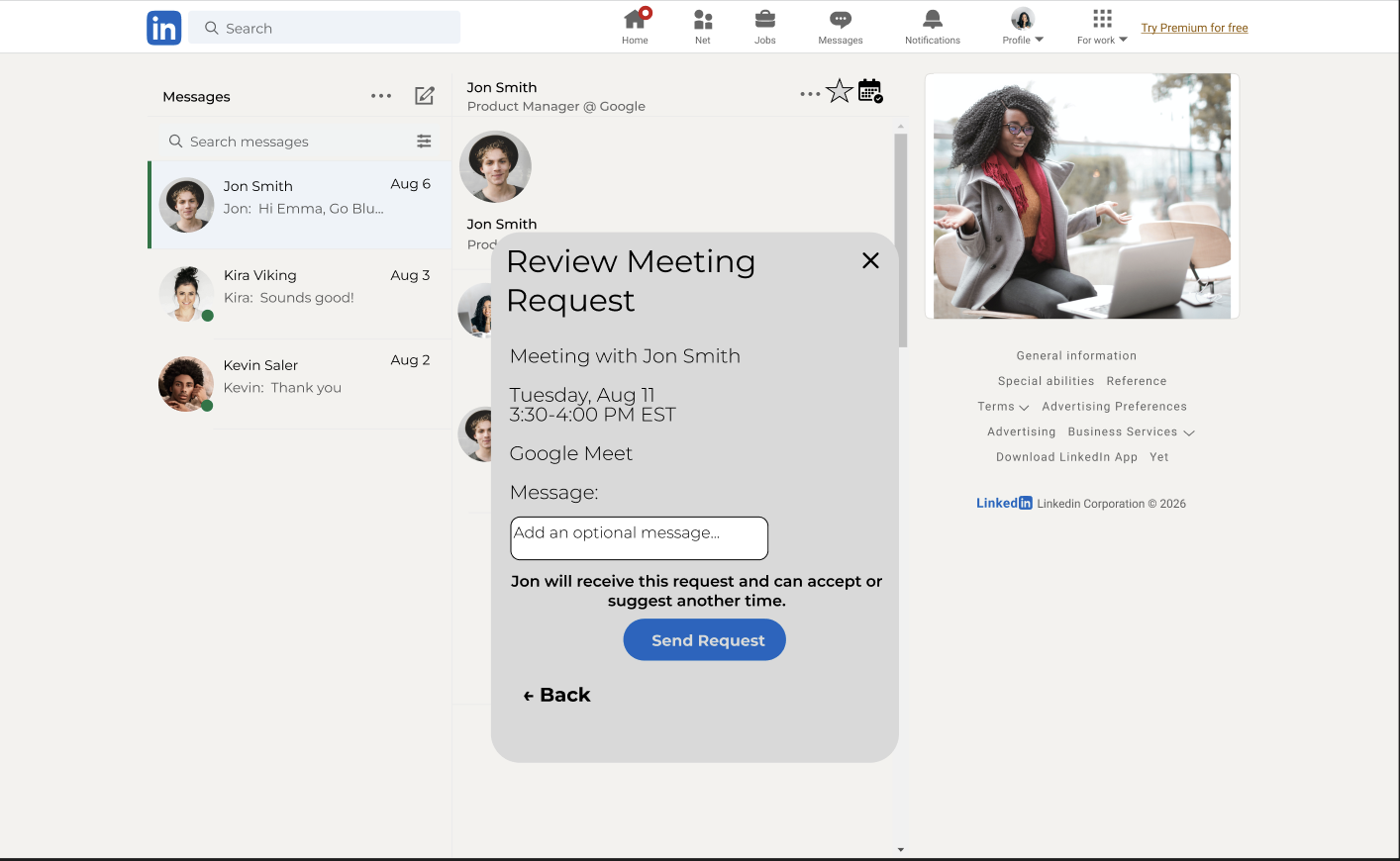
04| Review the Request
Before sending, users can review the meeting details and add an optional message. The recipient can then accept the request or suggest another time.
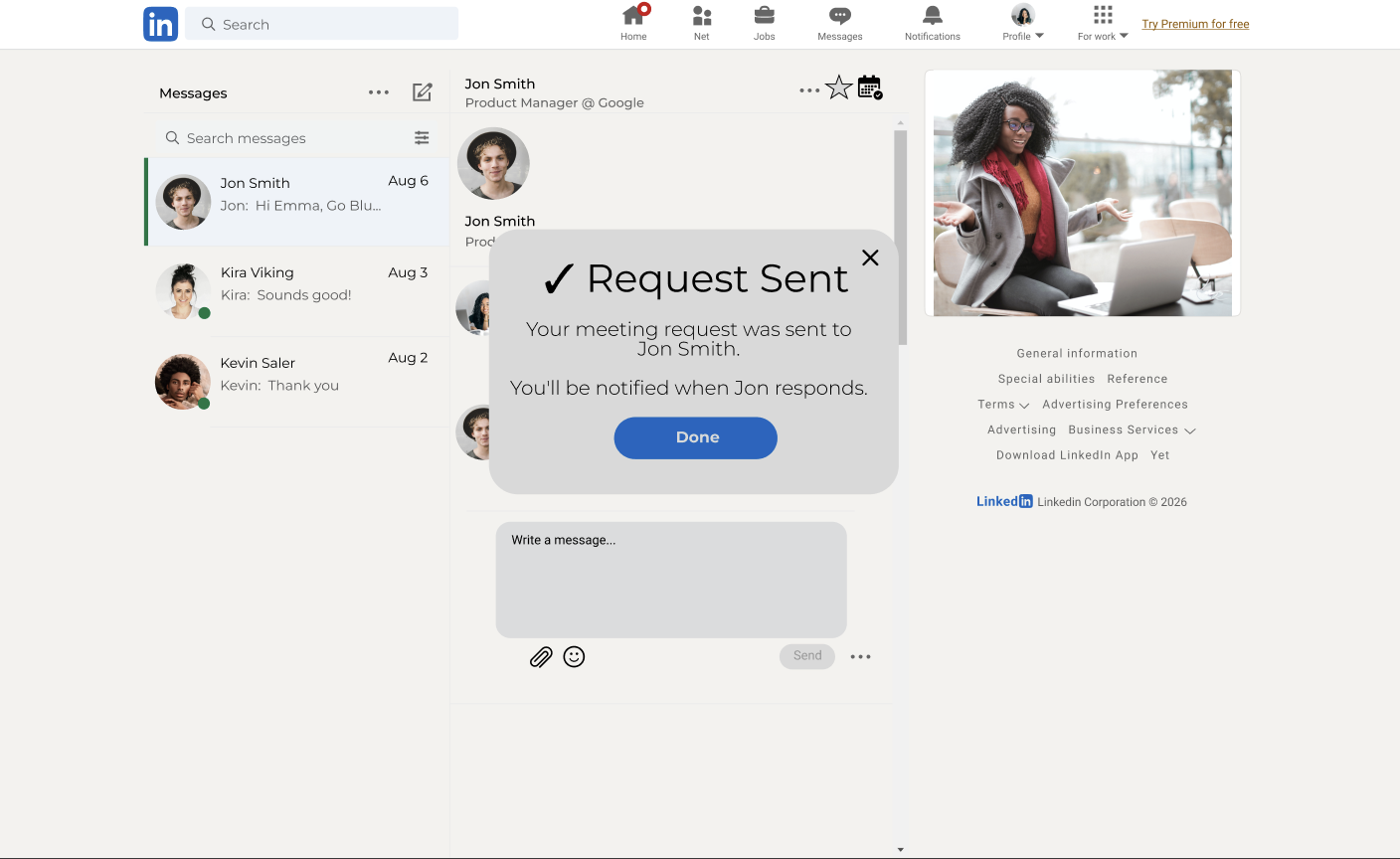
05| Request Sent
Once submitted, the request remains pending until the recipient responds. After acceptance, the meeting can be added to both calendars through the selected platform.
Product Decisions
Mutual availability should be surfaced without exposing calendar events, meeting names, or the user's broader schedule.
Protect calender privacy
The goal is to improve scheduling, not build another video-conferencing platform. Users can continue using Google Meet, Zoom, Microsoft Teams, or phone calls.
Integrate rather than replace
Selecting a mutual opening does not automatically place a meeting on another person's calendar. Recipients retain control by accepting the request or suggesting another time.
Request before booking
Connected calendars enable mutual availability, but they should not be required. If one or both users have not connected a calendar, users could manually propose available times instead.
Don’t require calender integration
Edge Cases
What happens when…
A calender isn’t connected?
The sender can manually propose multiple times.
The proposed time no longer works?
The recipient can suggest another time without restarting the scheduling process.
Users use different calender ecosystems?
Availability is based on free/busy information rather than requiring both users to use the same calendar provider.
The recepient doesn’t want to meet?
Meeting requests can be declined without affecting the existing conversation.
Measuring Success
How would I know if it worked?
North Star Metric
Conversation-to-meeting conversion rate:
The percentage of eligible LinkedIn conversations that result in a confirmed meeting
Supporting Metrics
Time to schedule: Median time between initiating a meeting request and confirmation
Request completion rate: Percentage of started scheduling flows that result in a sent request
Acceptance rate: Percentage of meeting requests accepted
Scheduling friction: Number of messages exchanged between agreeing to meet and confirming a time
External scheduling usage: Change in third-party scheduling links shared through LinkedIn Messaging
Limitations and Next Steps
This project began as an independent product hypothesis rather than a validated LinkedIn initiative. My next step would be testing the concept with frequent LinkedIn networkers to determine whether native scheduling meaningfully reduces friction compared with existing workflows.
What I’d explore next
3 questions I have
01 Do users want scheduling inside LinkedIn, or are existing tools sufficient?
02 At what point in a conversation do users expect the scheduling action to become available?
03 Are users comfortable connecting calendar availability to LinkedIn if only free/busy information is used?
Try the experience
Independent Product Concept • Designed in Figma • 2026